Guide
Revoke API Key
Overview
API keys in Hyperspell grant programmatic access to your account and services. Revoking a key immediately invalidates it, preventing any further authentication or access using that credential. This is a critical security operation — revoked keys cannot be restored, and any integrations or applications relying on the key will lose access. You should revoke keys when decommissioning integrations, rotating credentials for security, or responding to a potential breach. The revocation process requires explicit confirmation to prevent accidental disabling of active keys.
Before you begin
- You must be logged into your Hyperspell account at app.hyperspell.com
- You must have permission to manage API keys (typically an account owner or administrator role)
- You must know which API key you intend to revoke
- The API key must already exist in your account (accessible via the API Keys section)
Step by step
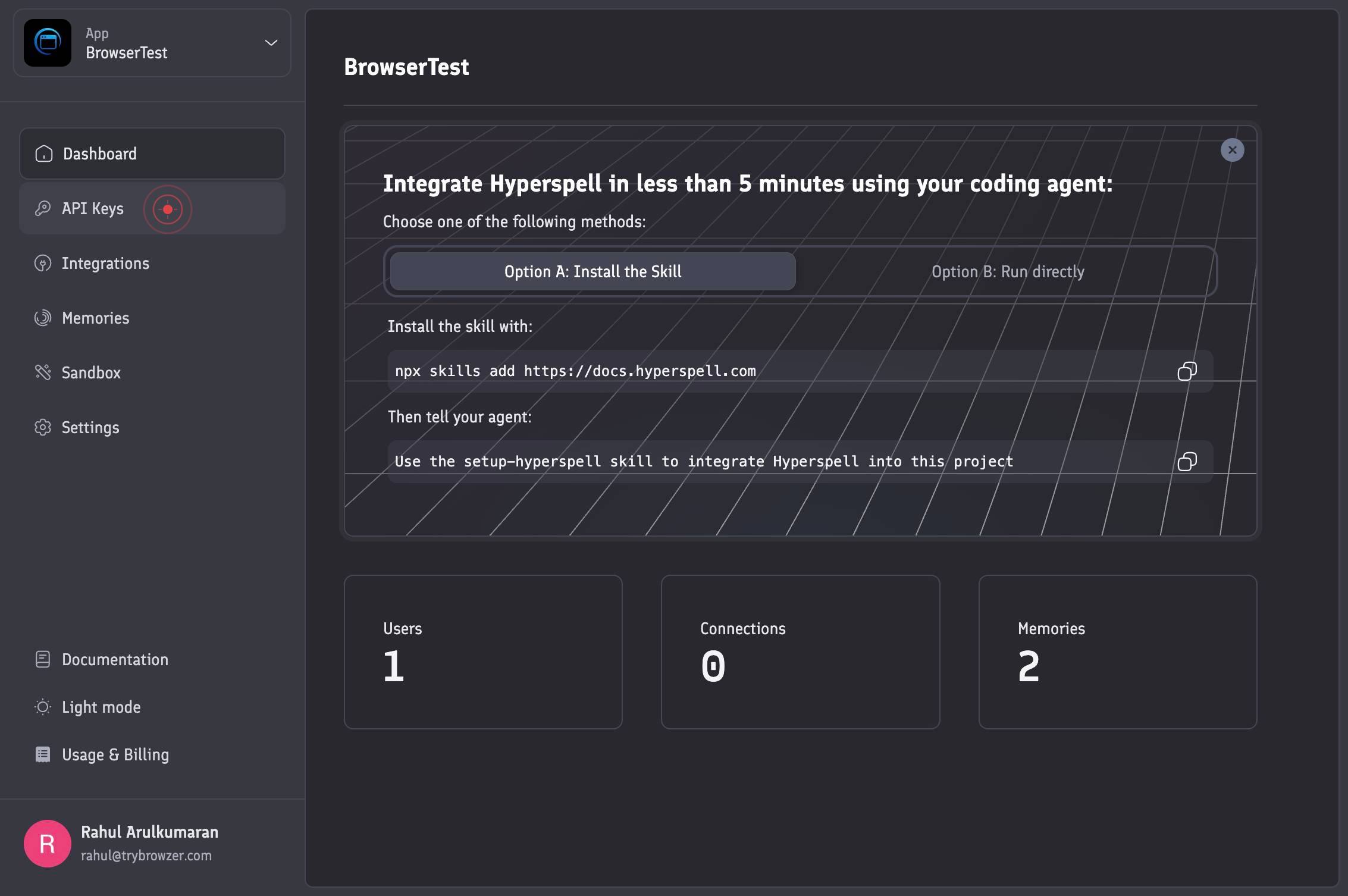
API KeysNavigate to the API Keys section of your Hyperspell account by clicking the 'API Keys' option in the account menu. This displays all API keys associated with your account, including active and previously revoked keys.
RevokeClick the 'Revoke' button next to the specific API key you want to disable. This initiates the revocation process and triggers a confirmation prompt.
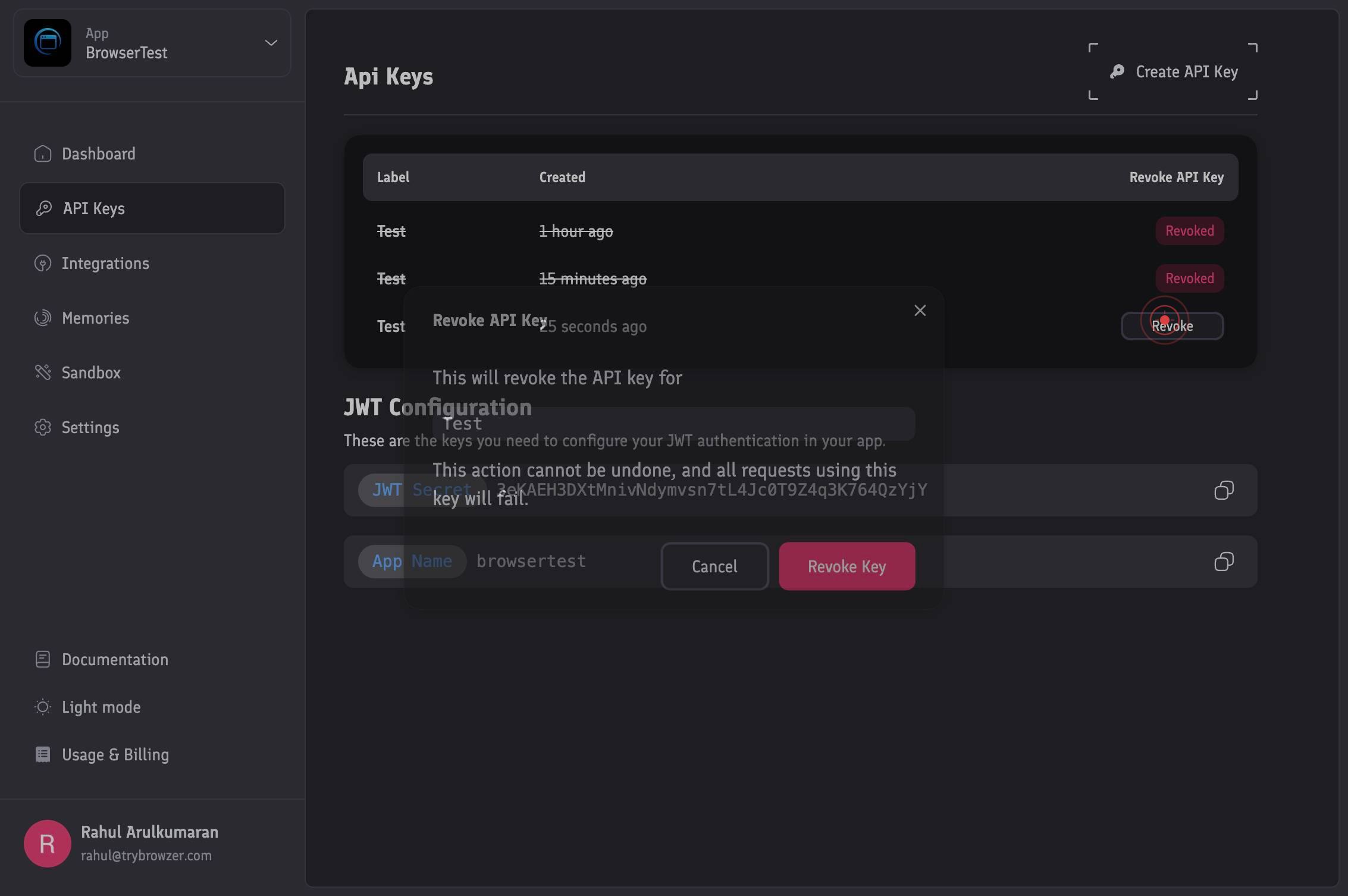
Cancel Revoke KeyReview the confirmation dialog that appears. Click 'Cancel Revoke Key' only if you've selected the wrong key or changed your mind. This will cancel the revocation and return you to the API Keys list without making any changes.
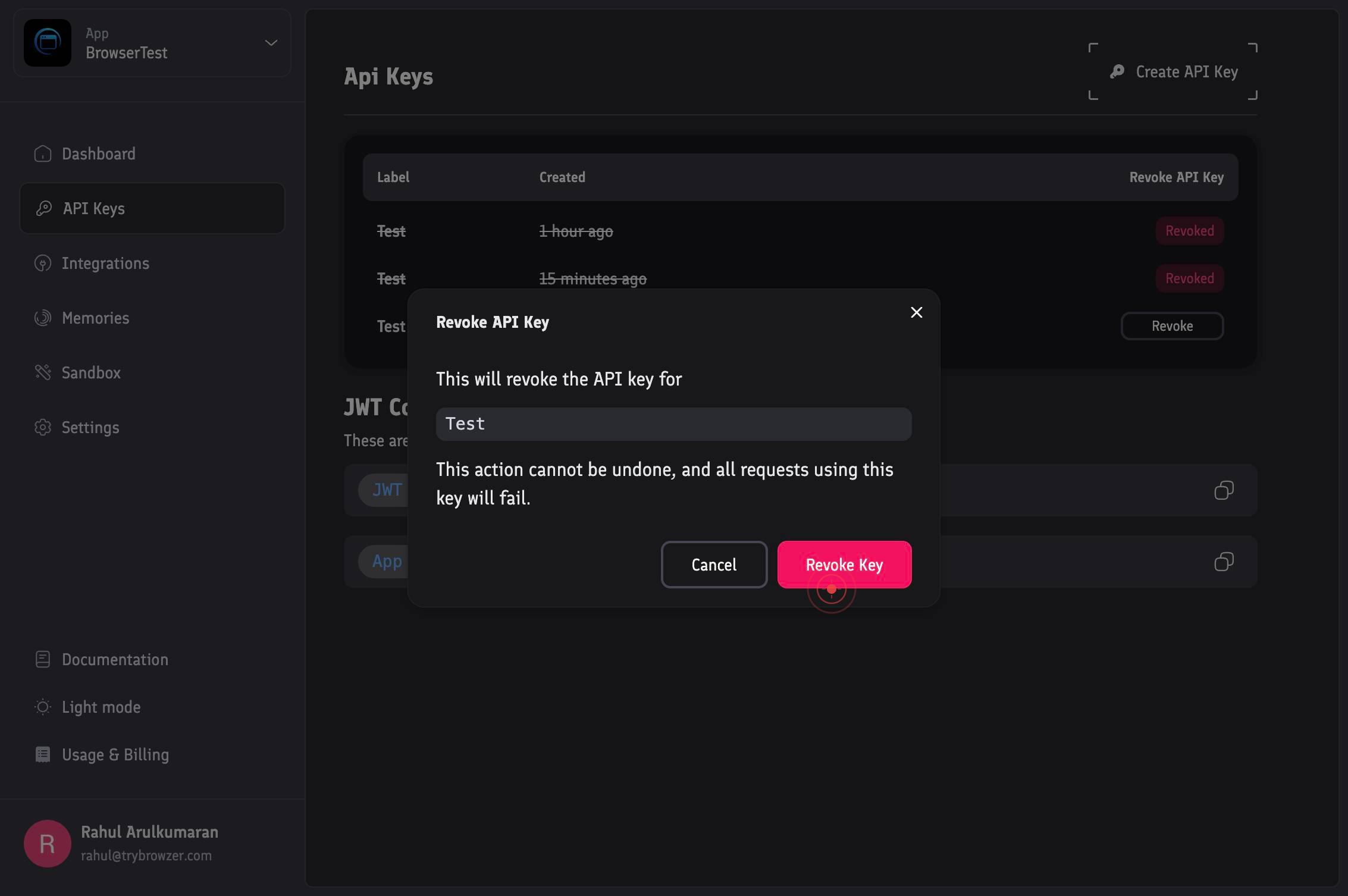
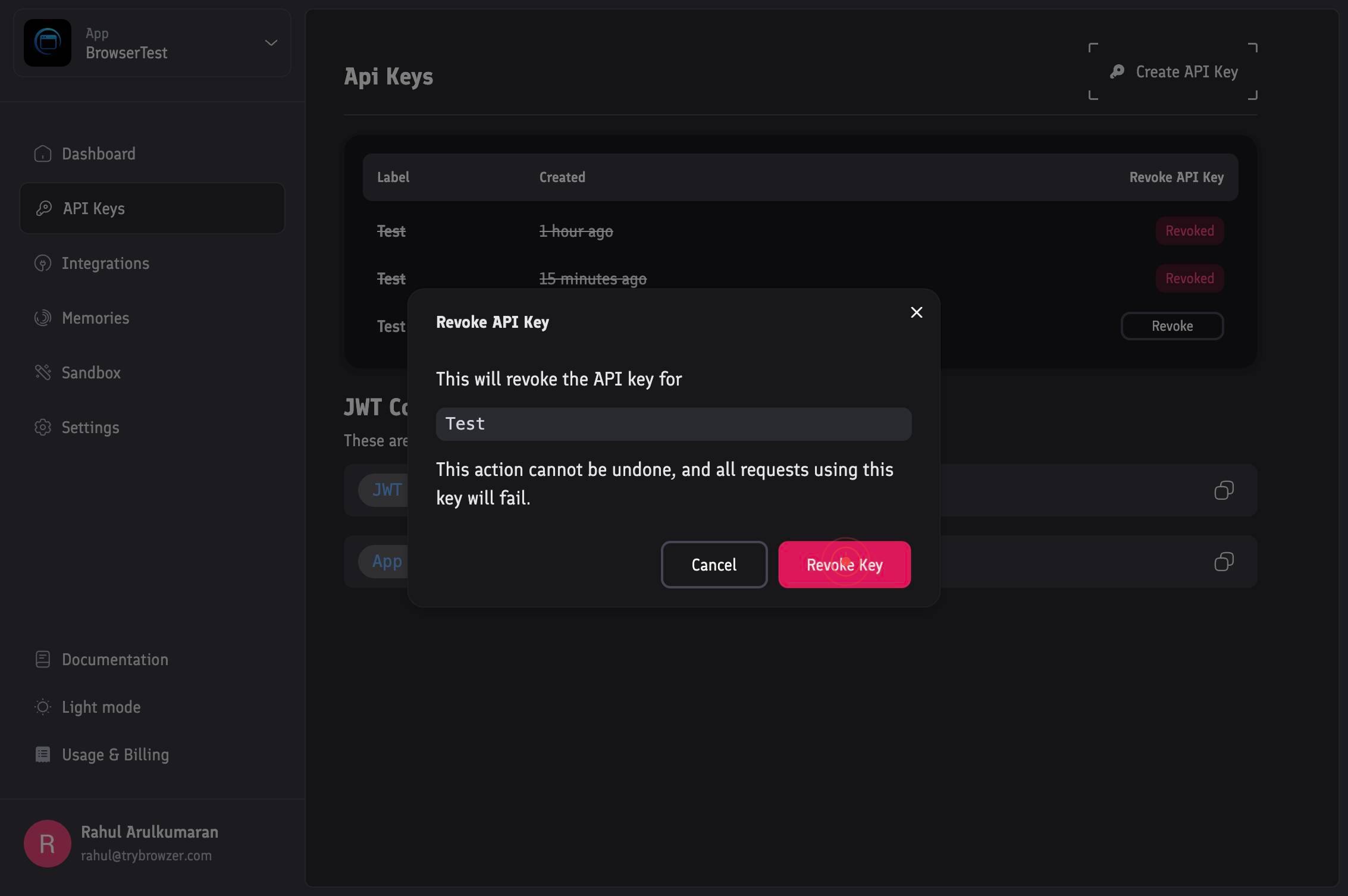
Revoke KeyClick the 'Revoke Key' button in the confirmation dialog to finalize and permanently revoke the API key. Once confirmed, the key will be immediately invalidated and cannot be restored.
Confirm it worked
- 1After completing the revocation, the revoked API key no longer appears in the active API Keys list, or it is marked as 'Revoked' or 'Inactive'
- 2Any attempts to use the revoked API key for authentication receive an error or unauthorized response
- 3The Hyperspell dashboard or settings reflects the key's revoked status in the API Keys history or audit log
Common issues
Keep reading
Key Revocation - Unkey Docs
> ## Documentation Index > > Fetch the complete documentation index at: https://unkey.com/docs/llms.txt > Use this file to discover all available pages before exploring further. # Key Revocation >
unkey.devRevoking an API Key
Revoking an API Key ### Oracle Cloud Infrastructure Documentation --- All Pages Skip to main content # Revoking an API Key Revoke an API key to permanently disable the selected key value. Warni
docs.oracle.comRevoke API Key Session
Revoke API Key Session ShellNodeJavaC#Ruby Revoke API Key Session [Jump to Content](#content) [![The Rev Documentation Hub](https://files.readme.io/a6f968d35946855dd558283753aa2fc89724af6ec7321ba36a
revdocs.vbrick.com