Guide
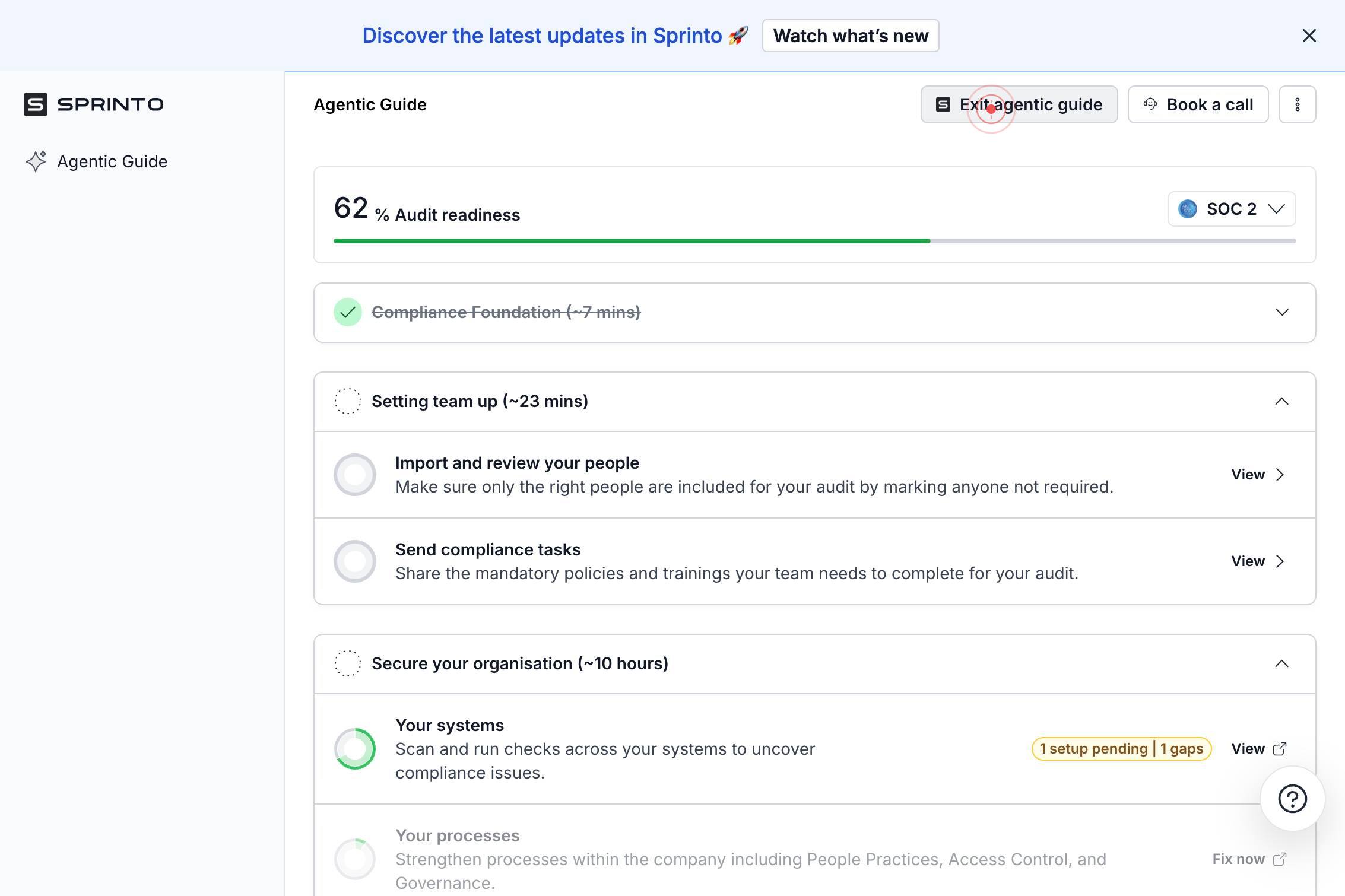
Exit Agentic Guide View
Overview
Sprinto's agentic guide view provides an interactive, AI-assisted walkthrough of key features and workflows. While helpful for onboarding and learning, you may want to dismiss this guide to work freely in the application interface. Clicking the exit button closes the guide layer and returns full control of the application to you, allowing you to navigate independently without guided prompts.
Before you begin
- Access to app.sprinto.com with an active account
- The agentic guide view must currently be open and visible on your screen
Step by step
Exit agentic guideClick the 'Exit agentic guide' button to close the guided walkthrough and return to the standard Sprinto application interface.
Confirm it worked
- 1The agentic guide overlay or panel is no longer visible on the screen
- 2The standard Sprinto application interface is fully accessible
- 3You can navigate menus and features without guided prompts or restrictions
Common issues
Keep reading
Quickstart — Agentic Prototyping
Quickstart — Agentic Prototyping # Quickstart ## Contents # Quickstart# ## Create a project and virtual environment# You’ll only need to do this once. ``` mkdir my_project cd my_project python
martinb-ai.github.ioNext Steps | AgenticGoKit
Next Steps | AgenticGoKit AgenticGoKit is currently in Beta. APIs may change before the stable v1.0 release. ✕ # Next Steps Congratulations! You've completed the comprehensive AgenticGoKit gettin
docs.agenticgokit.comAgentKit 2.0 Complete Guide: Building Next-Generation AI Agents with Antigravity | Antigravity Lab
AgentKit 2.0 Complete Guide: Building Next-Generation AI Agents with Antigravity | Antigravity Lab Articles/Agents & Manager ◈ Agents & Manager/2026-04-05Intermediate # AgentKit 2.0 Complete Guide:
antigravitylab.net