Guide
Disable Live View
Overview
Airbyte's Live View feature displays real-time status updates and activity monitoring on your dashboard, helping you track data pipeline execution as it happens. In some situations—such as when debugging connection issues, managing system resources, or reducing visual noise during configuration—you may want to temporarily disable this feature. Disabling Live View does not affect your actual data pipelines or scheduled synchronizations; it only turns off the real-time dashboard visualization.
Before you begin
- You must have an active Airbyte account and be logged into app.airbyte.ai.
- You must have dashboard access permissions in your Airbyte workspace.
Step by step
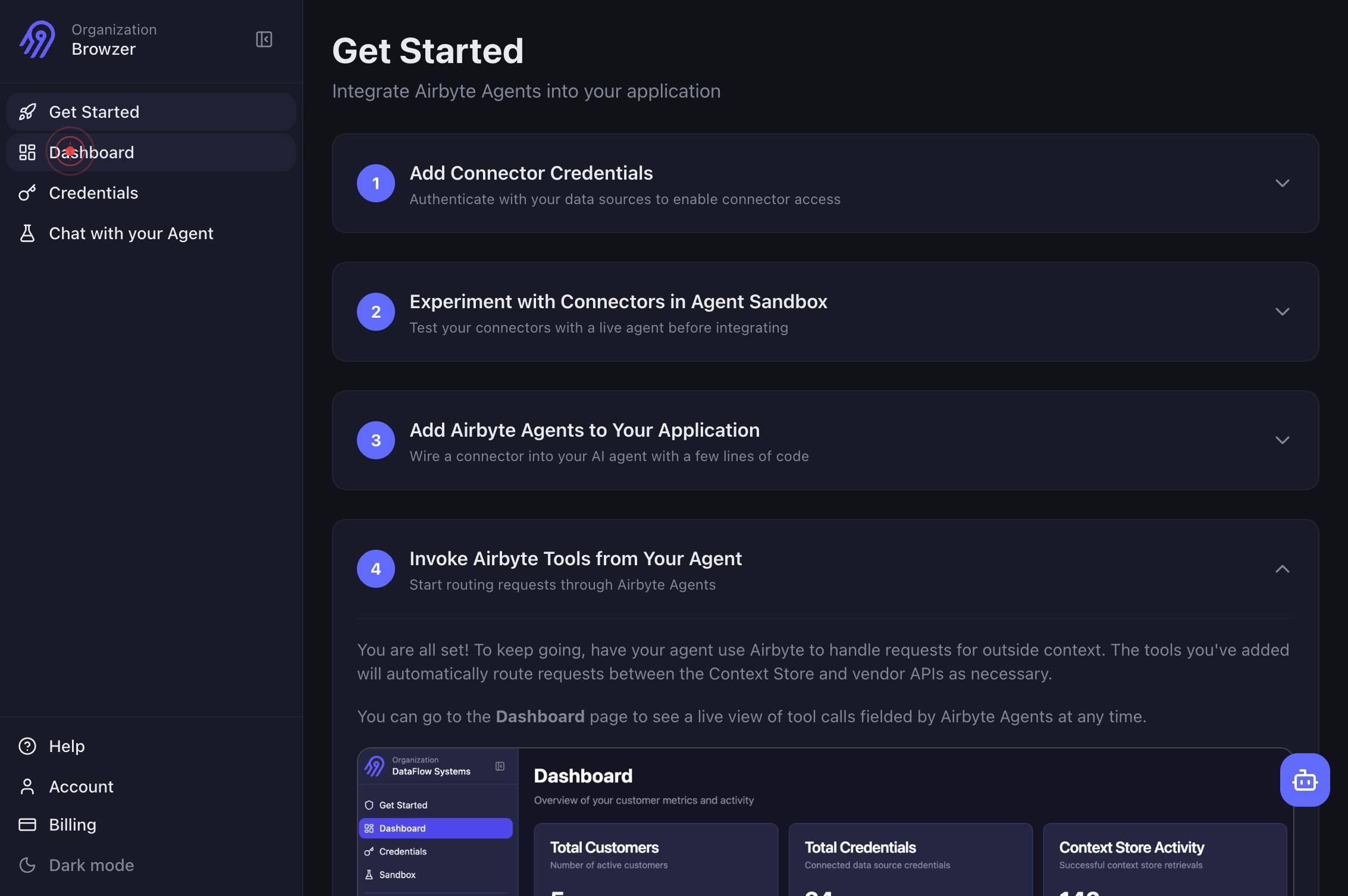
DashboardNavigate to the main Airbyte dashboard by clicking the 'Dashboard' link in the top navigation. This ensures you are viewing the primary dashboard where Live View controls are located.
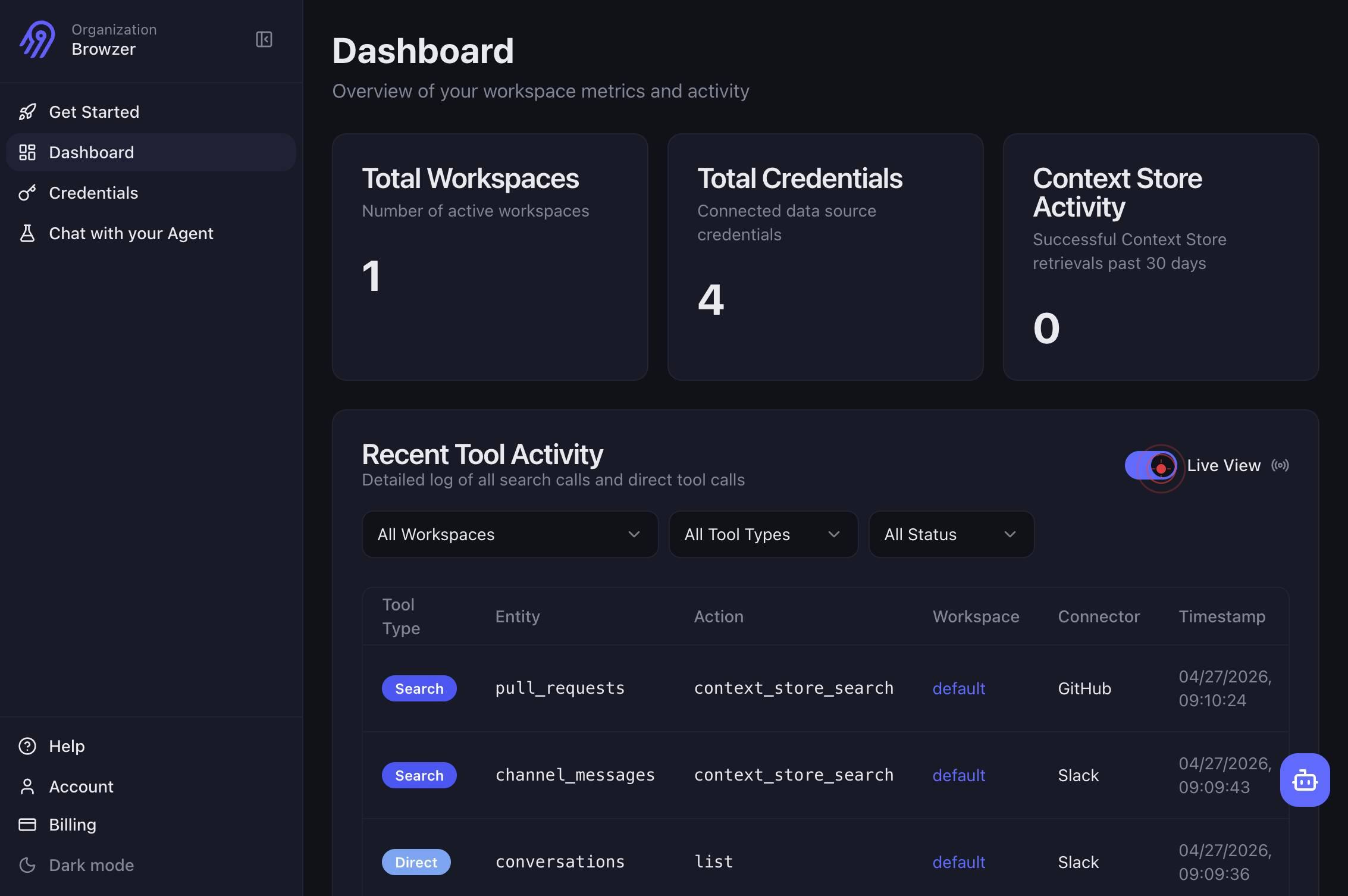
onClick the Live View toggle switch (labeled 'on') to disable real-time updates. The switch will transition from 'on' to 'off,' immediately stopping the real-time refresh of dashboard activity.
Confirm it worked
- 1The Live View toggle switch should change from the 'on' position to the 'off' position on the dashboard.
- 2Real-time activity indicators and live status updates should no longer refresh on the dashboard.
- 3The dashboard display should become static, showing only the last captured state without continuous updates.
Common issues
Keep reading
How to disable the live preset preview feature?
How to disable the live preset preview feature? # Live preset preview in the Loupe view causing system slowdown Search Last updated on May 24, 2023 ## Issue When you move the mouse pointer ov
helpx.adobe.comILCE-1 | Help Guide | Live View Display Set.
ILCE-1 | Help Guide | Live View Display Set. ## Live View Display Set. Sets whether or not to show images altered with effects of the exposure compensation, white balance, [Creative Look], etc. on t
helpguide.sony.net