Guide
Query your Agent
Overview
Airbyte's Agent Engine enables you to interact with your connected data sources through conversational AI. Instead of writing SQL queries or navigating complex interfaces, you can ask your agent questions in plain language about your data—such as 'How many customers signed up last week?' or 'Show me the top performing products'—and receive immediate answers. This workflow is essential when you want to perform ad hoc data exploration, get quick insights from your connections, or ask your agent to perform read operations across multiple authenticated sources without switching between tools.
Before you begin
- You must have an active Airbyte account and be logged into app.airbyte.ai.
- At least one data source connector must be enabled and authenticated in your Airbyte Agent Engine.
- You should have already set up at least one connection between a source (e.g., database, SaaS platform) and your agent.
- Access to the Agent Engine chat interface (confirm this is enabled in your workspace settings).
Step by step
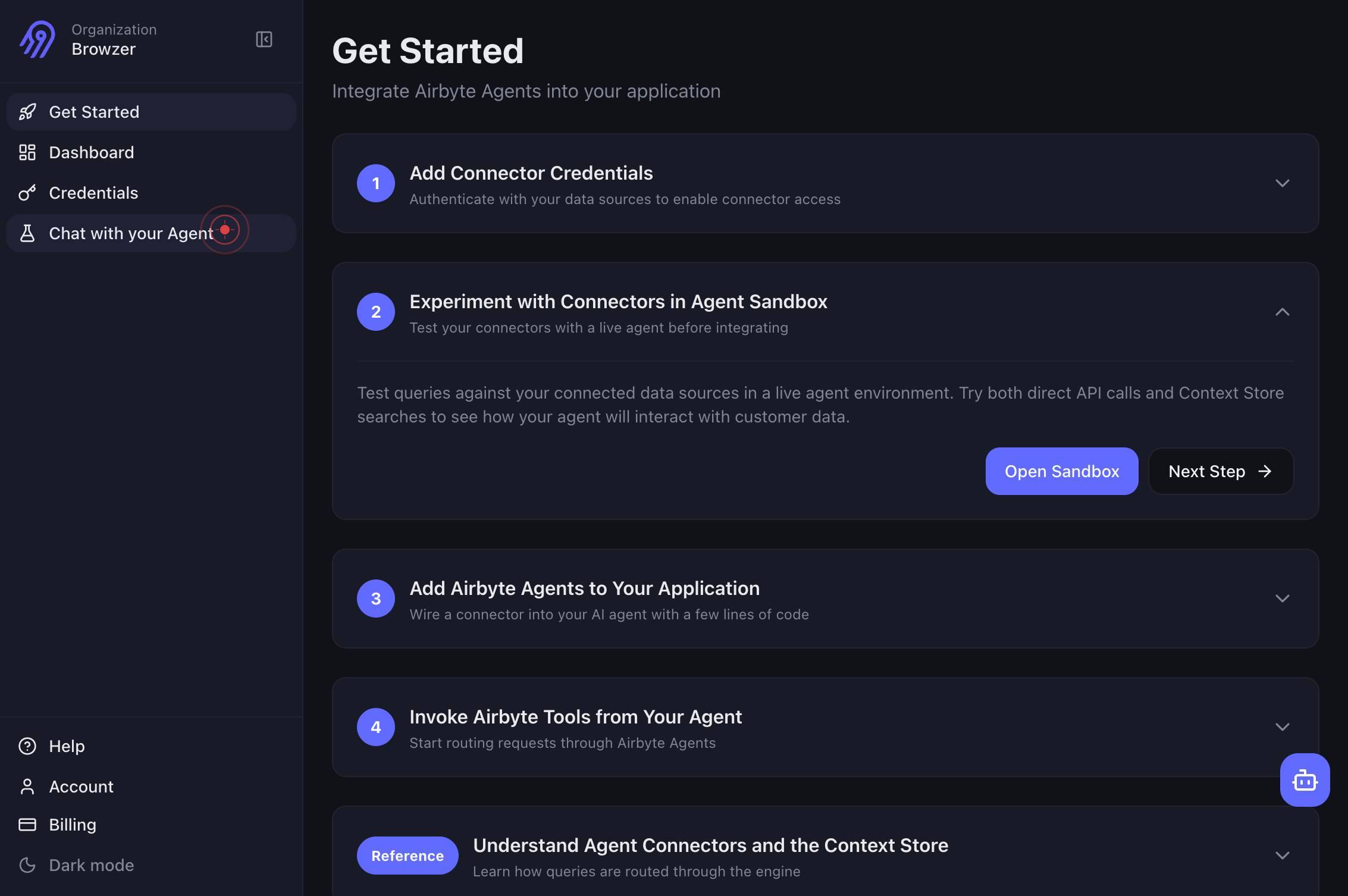
Chat with your AgentNavigate to the chat interface by clicking the 'Chat with your Agent' link in the Airbyte application. This opens the conversational query interface where you can interact with your Agent using natural language.
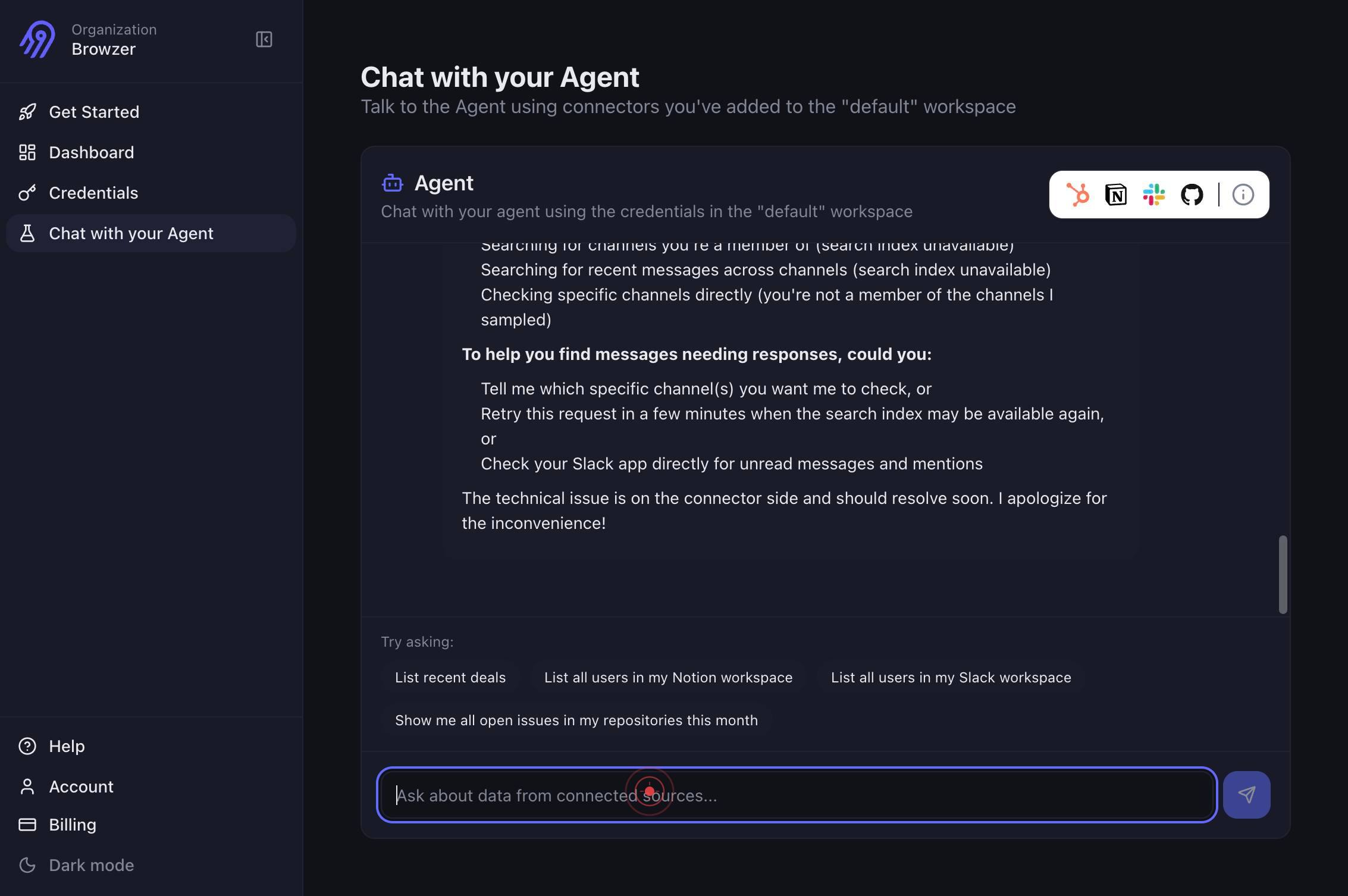
Ask about data from connected sources...Click on the text input box labeled 'Ask about data from connected sources...' to focus the input field and prepare to type your question.
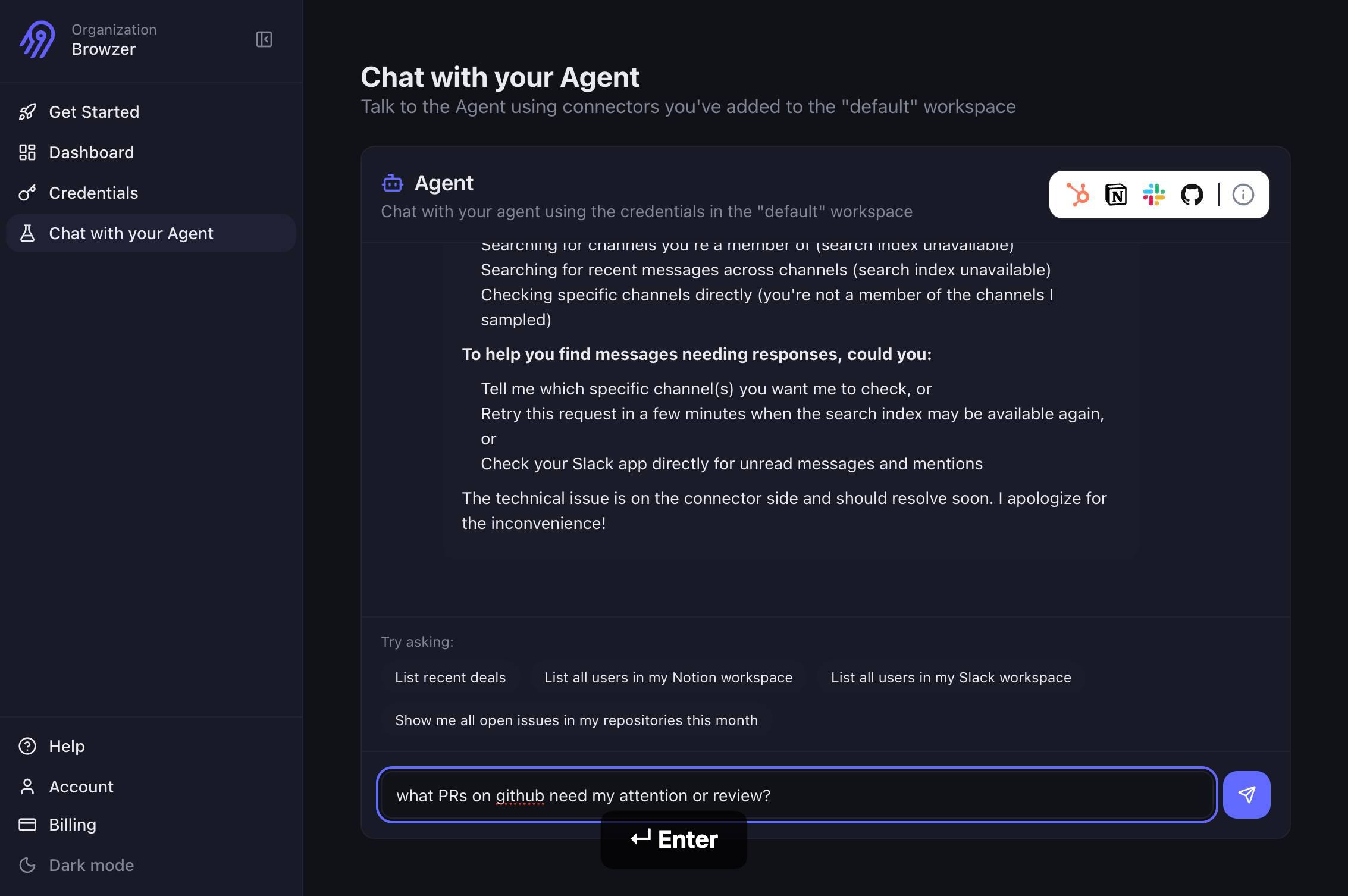
Ask about data from connected sources...Type your question in natural language. For example, ask the agent to fetch, search, or summarize data from your connected sources—such as 'Show me all customers from New York' or 'What is the average order value this month?'
Press Enter to submit your question to the Agent. The agent will process your query and return results or a response based on the data available in your connected sources.
Confirm it worked
- 1You see the chat interface open with a message input box labeled 'Ask about data from connected sources...'
- 2After typing your question and pressing Enter, the agent responds with a message or data result within the chat window.
- 3The agent's response references the data from your connected sources (e.g., mentions specific tables, records, or values you know exist).
- 4No error messages appear; the chat remains interactive and ready for follow-up questions.
Common issues
Keep reading
Your First Agent with query() | Agent Factory
Your First Agent with query() | Agent Factory On this page Teach Me Sign in to access Teach Me mode Ask Sign in to ask questions Copy as MarkdownCtrl+⇧+C Updated Mar 16, 2026 You're about to w
agentfactory.panaversity.orgQuery Agent | Weaviate Documentation
Query Agent | Weaviate Documentation Go to documentation: ⌘U ✕ Weaviate Database Develop AI applications using Weaviate's APIs and tools Deploy Deploy, configure, and maintain Weaviate Database
weaviate.ioIntroducing the Weaviate Query Agent | Weaviate
Introducing the Weaviate Query Agent | Weaviate ← Back to Blogs We’re incredibly excited to announce that we’ve released a brand new service for our Serverless Weaviate Cloud users (including free S
weaviate.io