Guide
Delete API Key
Overview
Exa's API Key management system allows you to control which credentials have access to your live web data integration services. Deleting an API key is a security-critical action that immediately revokes all requests made with that key. This is useful for maintaining least-privilege access, rotating credentials as part of your security practices, or disabling keys that are no longer in active use. Once deleted, the key cannot be recovered—any applications or integrations using it will stop functioning.
Before you begin
- Access to an Exa dashboard account (https://dashboard.exa.ai) with sufficient permissions to manage API keys
- The API key you intend to delete must be visible in your team's API Keys management interface
- Knowledge of which API key (including its owner or description) you plan to remove to avoid accidental deletion
Step by step
API KeysNavigate to the API Keys section of your Exa dashboard by clicking the API Keys link in the left sidebar. This page displays all API keys associated with your team and is where you manage credential lifecycle.
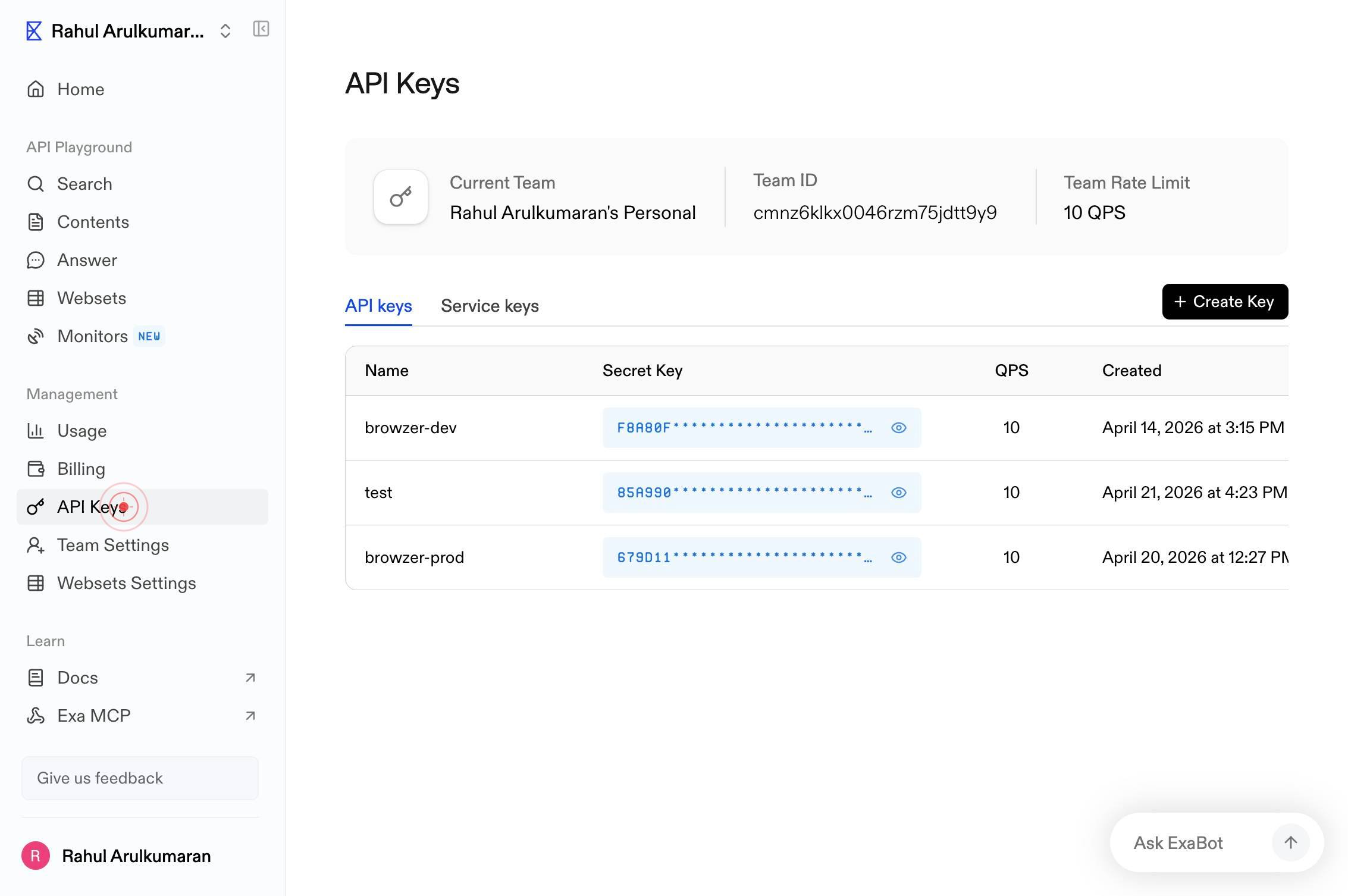
Rahul Arulkumaran's Personal Home API Playground Search Contents Answer Websets Monitors NEW Management Usage Billing API Keys Team Settings Websets Settings Learn Docs Exa MCP Integrations Give us feedback Rahul Arulkumaran API Keys Current Team RahLocate and select the specific API key you wish to delete from the list—in this case, Rahul Arulkumaran's Personal Home API key. Click on the key entry to open its options menu.
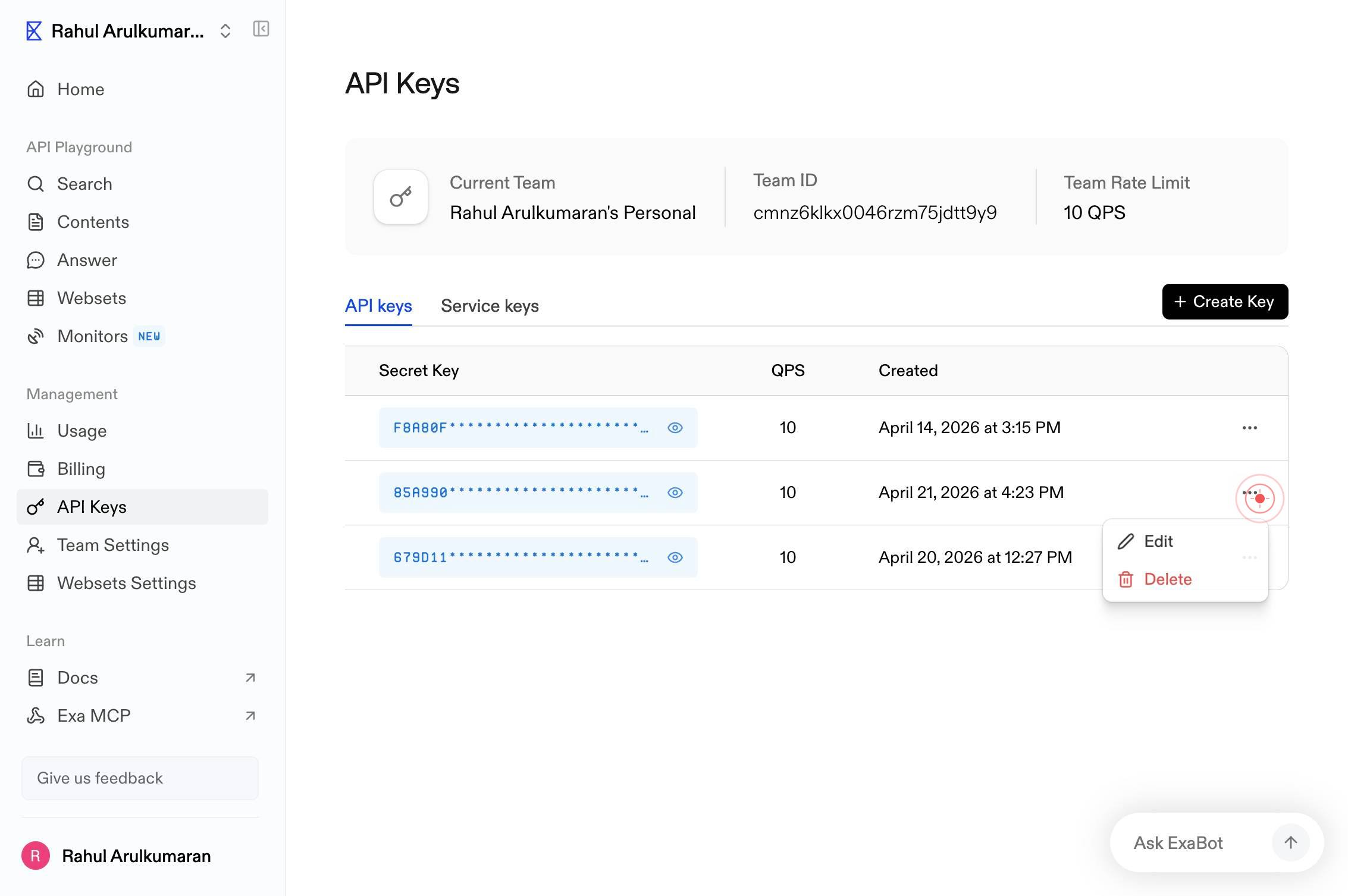
DeleteClick the Delete option from the menu that appears. This action permanently removes the API key from your team and immediately revokes all access granted by that credential.
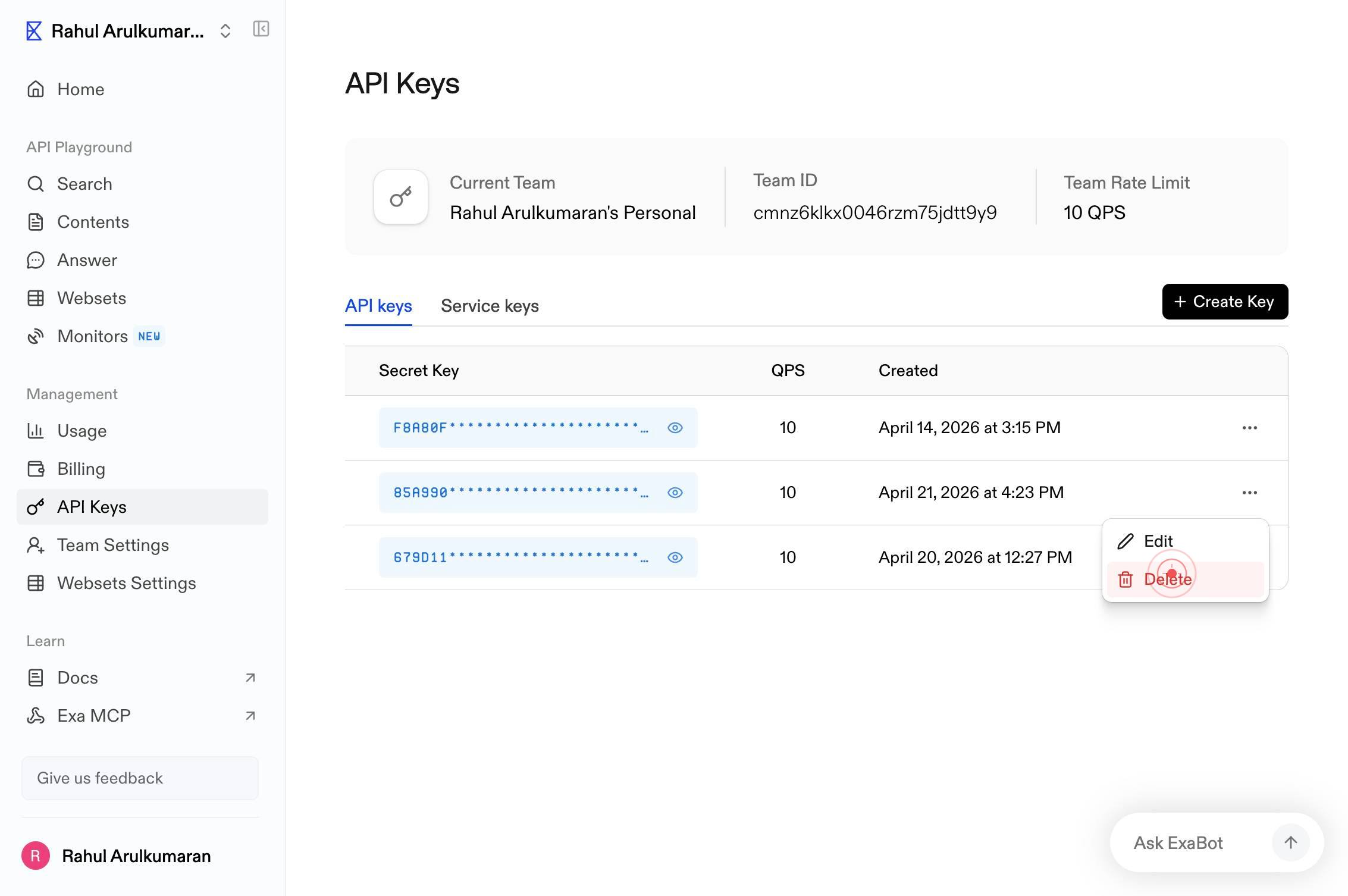
Confirm it worked
- 1The API Keys page displays and no longer shows the deleted API key in the list of active keys
- 2Any integrations or applications relying on the deleted key will fail to authenticate on their next request
- 3You see confirmation that the key has been removed from your team's credential roster
Common issues
Keep reading
Delete API keys - Unkey Docs
> Fetch the complete documentation index at: https://unkey.com/docs/llms.txt > Use this file to discover all available pages before exploring further. > > ## Documentation Index # Delete API keys >
unkey.comDelete API Key | Vultr Docs
Deleting a user's API key is an important security practice to prevent unauthorized access and reduce the risk of compromised credentials. When an API key is no longer in use, or after you generate a
docs.vultr.comDelete API Key | Vultr Docs
Deleting a current user API key is an important security measure to prevent unauthorized access. Remove keys that are no longer needed or may be compromised to maintain secure account access. > [!NOT
docs.vultr.com