Guide
Revoke Composio API Key
Overview
Composio API keys grant programmatic access to your AI agent integrations and toolkits. Revoking a key is a critical security action that immediately invalidates that key, preventing any further API calls using it. This is essential when you suspect a key has been compromised, when an employee leaves your organization, or when you want to rotate keys as part of a security audit. Unlike regenerating a key (which creates a new one), revoking simply disables the old key without generating a replacement.
Before you begin
- You must have an active Composio account with access to the dashboard at dashboard.composio.dev
- You must be logged in to your Composio account
- You must have owner or administrator permissions on the project whose API key you wish to revoke
- You must have identified which API key you want to revoke (you can view all active keys in the project settings)
Step by step
buttonNavigate to the API key management section by clicking the options button (typically represented by three dots, a menu icon, or a settings icon) associated with the specific API key you wish to revoke in the Composio dashboard.
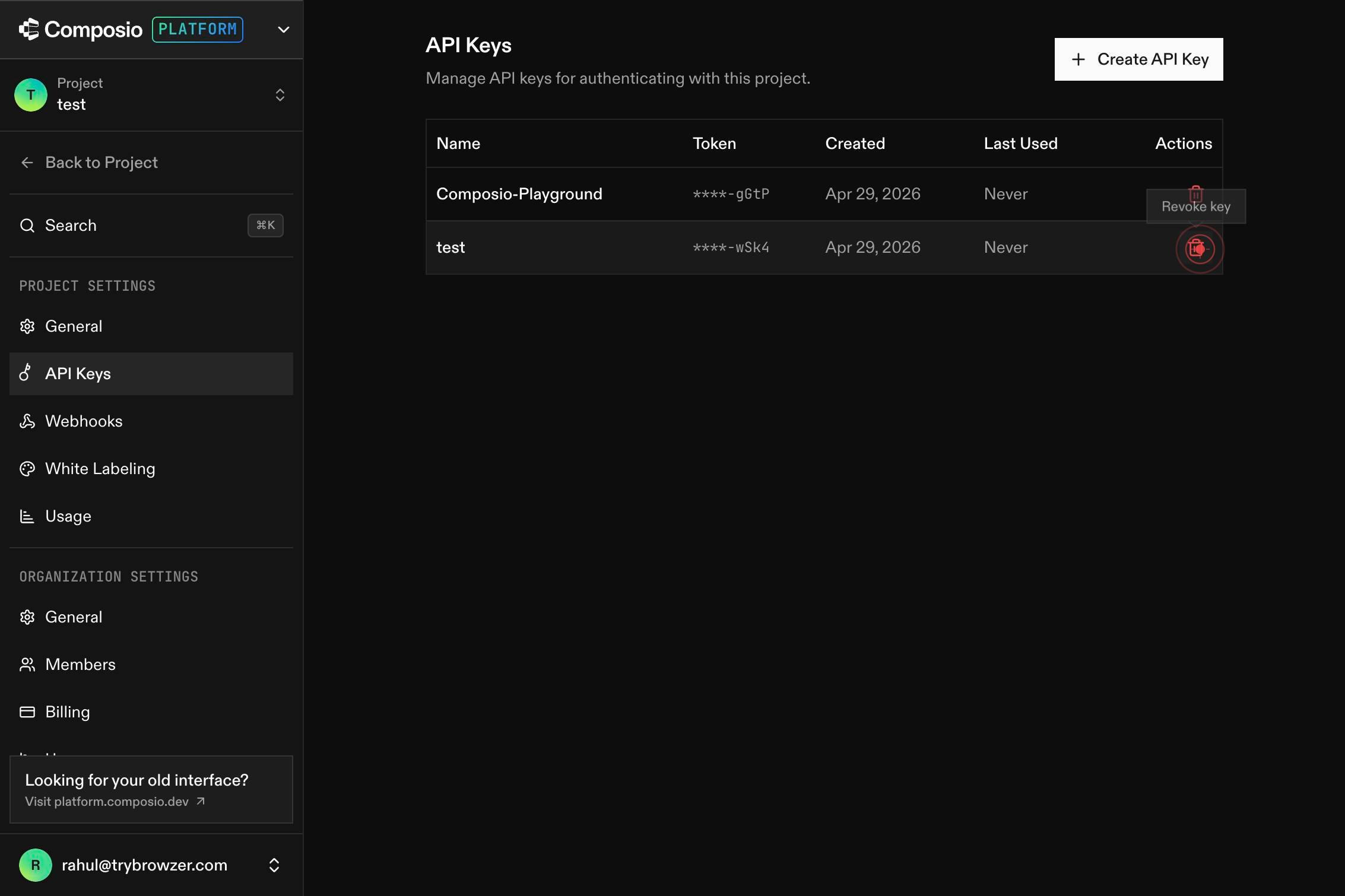
RevokeClick the 'Revoke' button in the dropdown menu that appears. This action immediately invalidates the selected API key and prevents any further API calls using that key.
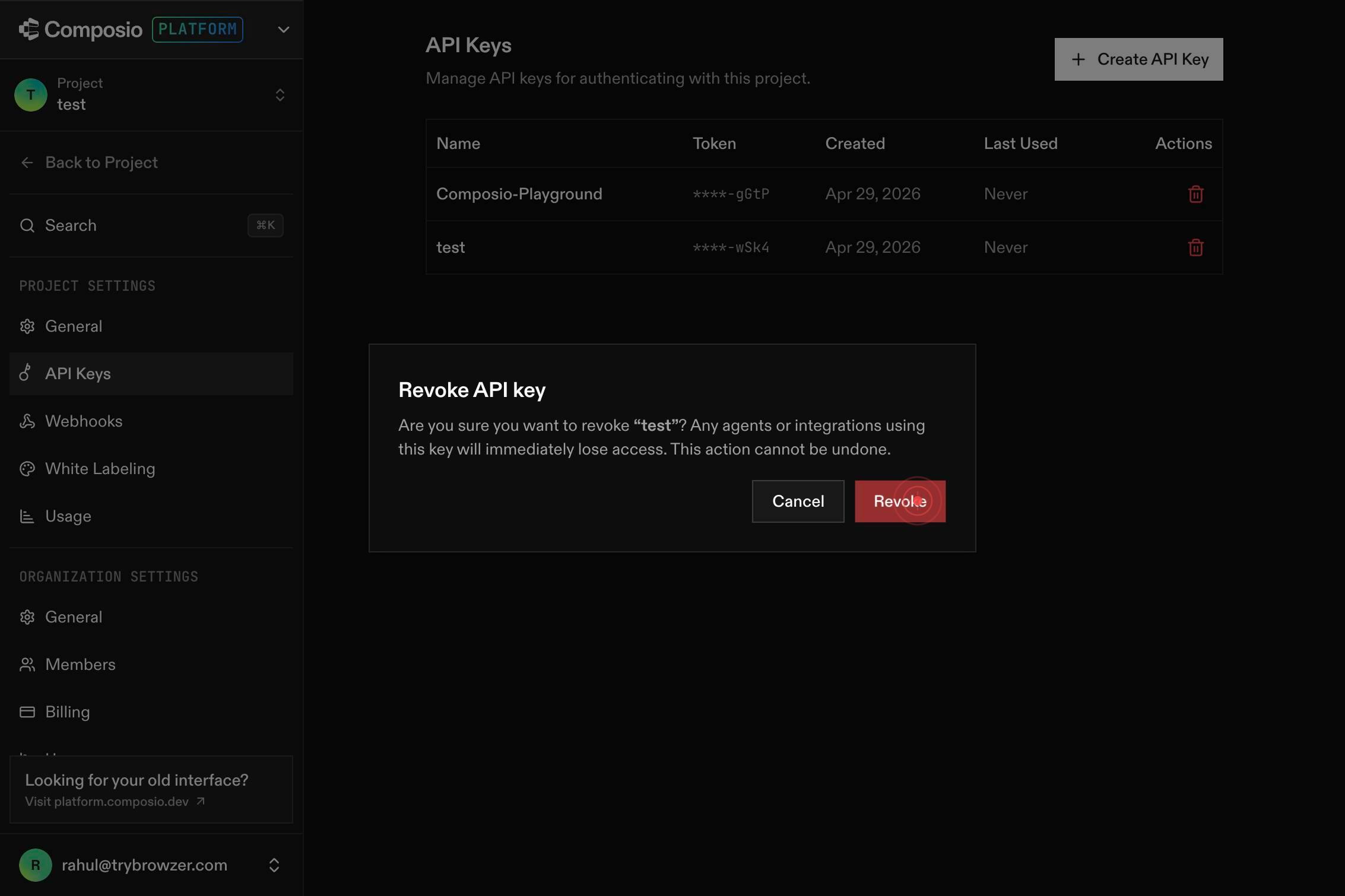
Confirm it worked
- 1The revoked API key no longer appears in the active API keys list, or is marked as 'Revoked' or 'Inactive'
- 2Any attempts to use the revoked key in API calls return a 401 Unauthorized or 403 Forbidden error
- 3The revoke button is no longer available for that key (it has been successfully removed from the active pool)
Common issues
Keep reading
Delete and generate new API key for project | Composio
# Delete and generate new API key for project Documentation: /reference/api-reference/projects/postOrgOwnerProjectByNanoIdRegenerateApiKey Generates a new API key for the specified project, invalida
docs.composio.devKey Revocation - Unkey Docs
> ## Documentation Index > > Fetch the complete documentation index at: https://unkey.com/docs/llms.txt > Use this file to discover all available pages before exploring further. # Key Revocation >
unkey.devRevoke an API key - Comp AI - Documentation
> Fetch the complete documentation index at: https://trycomp.ai/docs/llms.txt > Use this file to discover all available pages before exploring further. > > ## Documentation Index # Revoke an API key
trycomp.ai