Guide
Add IPv4 Add-on
Overview
Supabase projects run on shared infrastructure by default, which means your database connections may originate from dynamic IP addresses. If your organization requires connections from a static, dedicated IPv4 address—for example, to configure firewall rules, VPN access controls, or compliance requirements—you can purchase the Dedicated IPv4 Address add-on. This add-on assigns a permanent IPv4 address to your Postgres database, ensuring consistent connectivity from approved networks. This is particularly useful for production environments where IP-based security policies are in place.
Before you begin
- A Supabase account (free or paid) at supabase.com
- An active Supabase project already created
- Owner or admin role in the project to access Project Settings
- Payment method on file (add-on costs $4.00/month per database)
Step by step
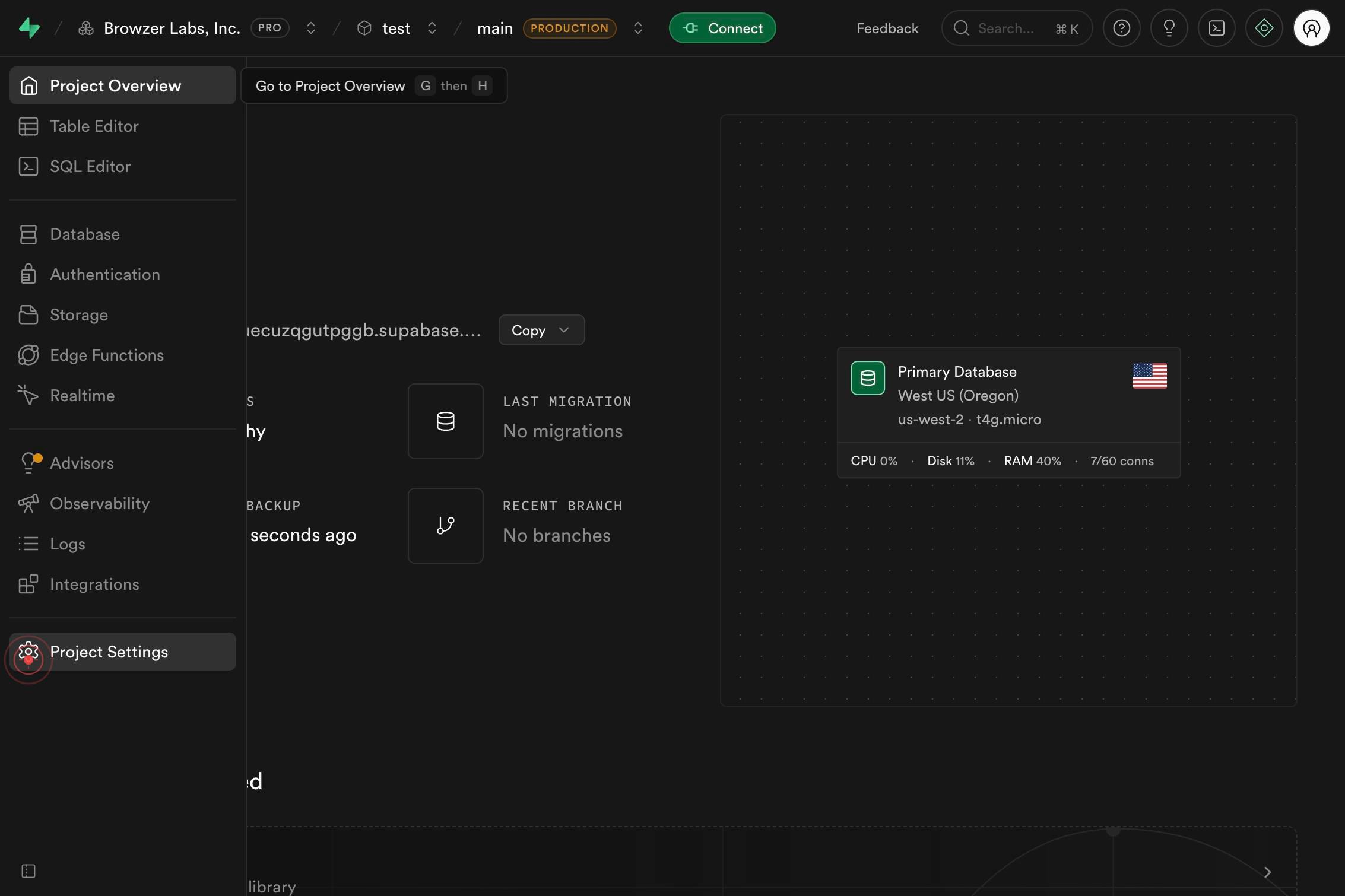
Project SettingsNavigate to your project's settings by clicking the Project Settings link in the left sidebar or top navigation. This opens the configuration panel where you can manage all aspects of your Supabase project, including add-ons and billing.
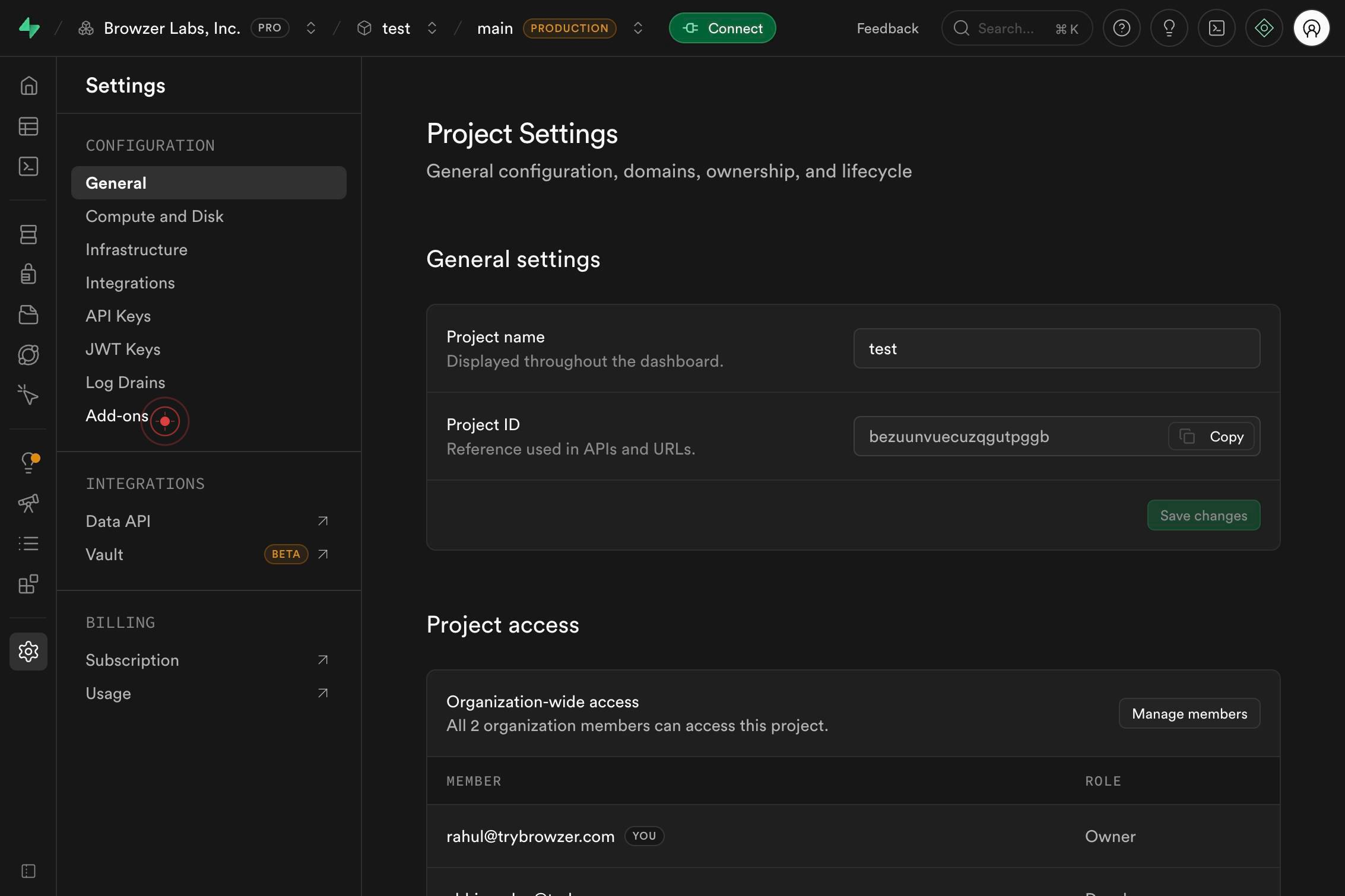
Add-onsClick the Add-ons menu item to access the add-on marketplace for your project. This section displays all available paid and free add-ons, including networking, storage, and performance enhancements.
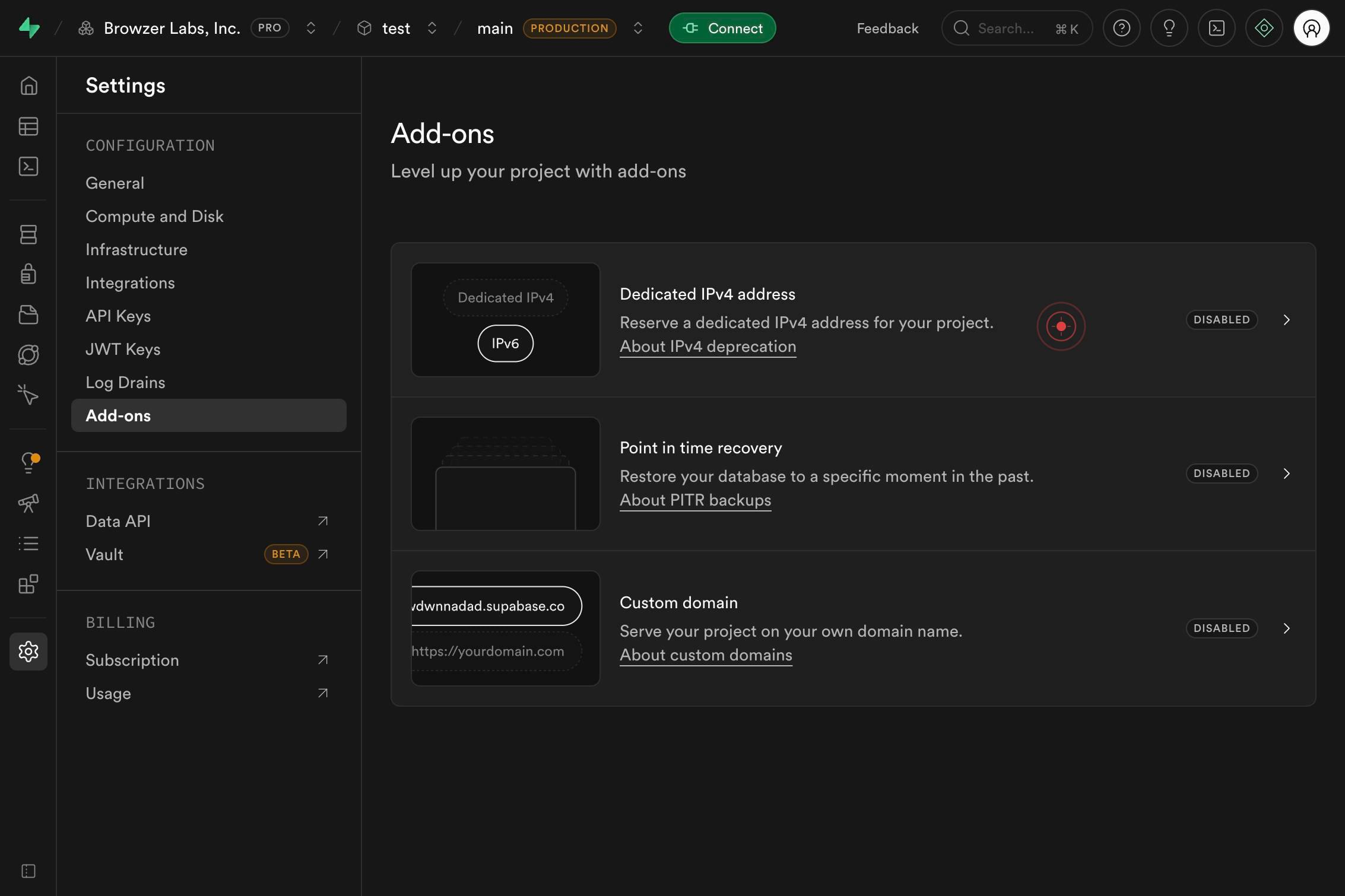
Reserve a dedicated IPv4 address for your project.Locate and click on the option to reserve a dedicated IPv4 address. This will display the details and pricing of the Dedicated IPv4 Address add-on, which enables your Postgres database to use a fixed IP for inbound and outbound connections.
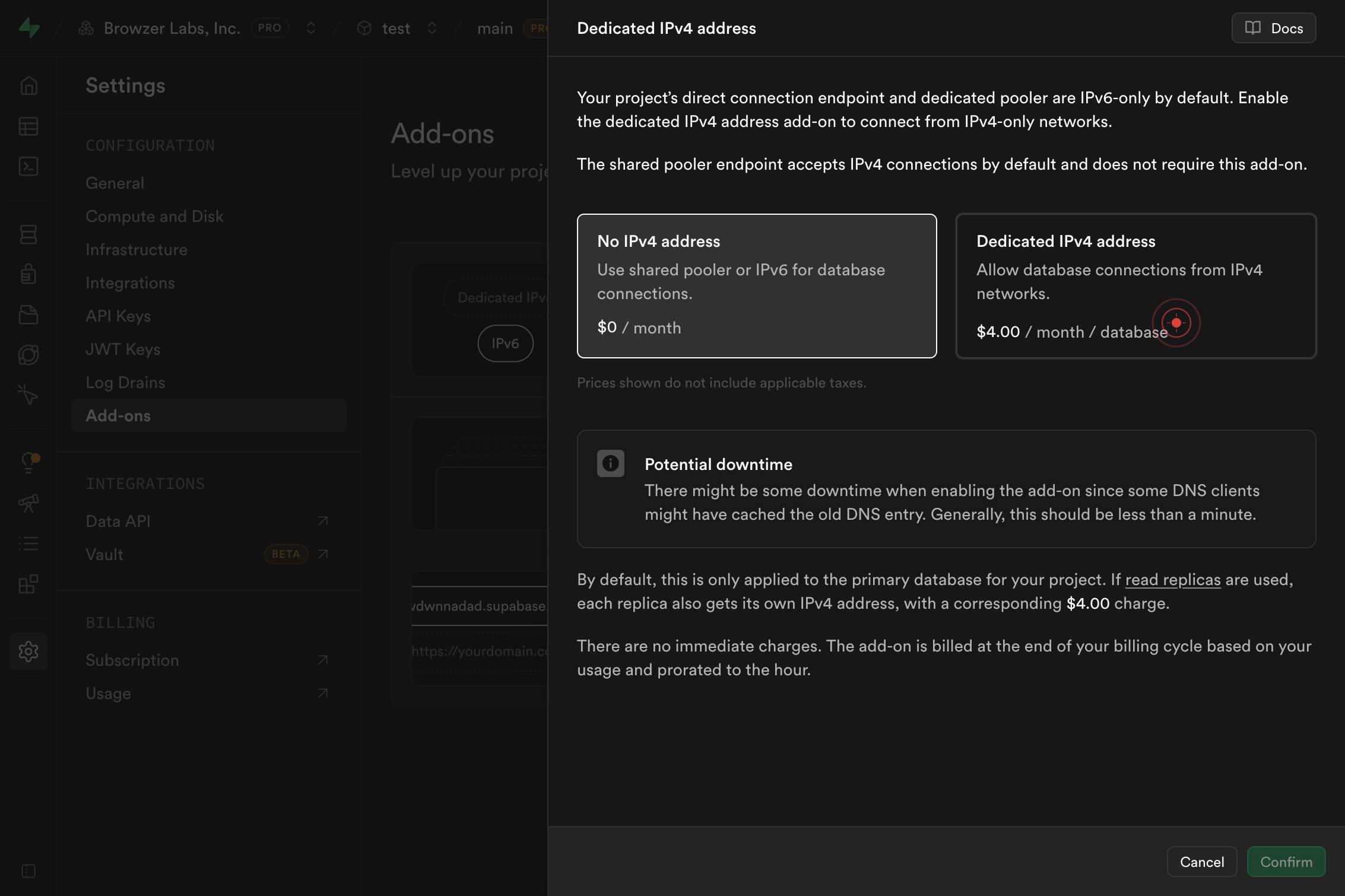
Dedicated IPv4 address Allow database connections from IPv4 networks. $4.00 / month / databaseSelect the Dedicated IPv4 Address radio button option (priced at $4.00/month per database) to confirm your add-on selection. This action commits the add-on to your project; you will be prompted to complete payment if you haven't already.
Confirm it worked
- 1The Add-ons page displays the Dedicated IPv4 Address add-on as 'Active' or shows a confirmation message
- 2Your Postgres connection string includes the dedicated IPv4 address in the database settings
- 3The project's Add-ons Settings confirms the IPv4 add-on is enabled and billing has been activated
- 4Database connections now originate from the assigned static IPv4 address (verify via your firewall or IP whitelist logs)
Common issues
Keep reading
How to Add Additional IPv4 and IPv6 to Linux VPS
How to Add Additional IPv4 and IPv6 to Linux VPS -- - Live Chat - Contact Us -- -- # How to Add Additional IPv4 and IPv6 to Linux VPS Most Linux servers have a public IP address allowing remote co
operavps.comHow to Add IPv4 Addresses on a Vultr Cloud Compute Instance | Vultr Docs
# How to Add IPv4 Addresses on a Vultr Cloud Compute Instance A public IPv4 address is automatically assigned to an instance upon deployment, unless disabled by default. You can attach multiple IPv4
docs.vultr.comHow to add additional IPv4 on Windows Server - HostMeNow
How to add additional IPv4 on Windows Server - HostMeNow GBP GBP USD EUR BRL INR - Forgot Password? - ----- - Register - Login GBP GBP USD EUR BRL INR - Forgot Password? - ----- - Regist
hostmenow.org