Guide
Upgrade Subscription
Overview
Supabase offers multiple subscription tiers to support projects at different scales. As your application grows, upgrading to the Team plan unlocks enhanced features, higher resource limits, and priority support—enabling you to scale from prototype to production without infrastructure constraints. The Team plan is ideal for teams collaborating on production applications that require more database capacity, API rate limits, and advanced analytics than the free tier provides. This workflow guides you through accessing your billing settings and confirming your plan upgrade.
Before you begin
- A Supabase account with at least one active project (create one at supabase.com if needed)
- Organization owner or billing administrator role for the organization whose subscription you wish to upgrade
- Valid payment method on file (credit/debit card) — Supabase will charge immediately upon upgrade confirmation
- Access to supabase.com in your web browser
Step by step
Navigate to the Supabase dashboard by opening or switching to supabase.com in your web browser. Ensure you are logged in to your Supabase account.
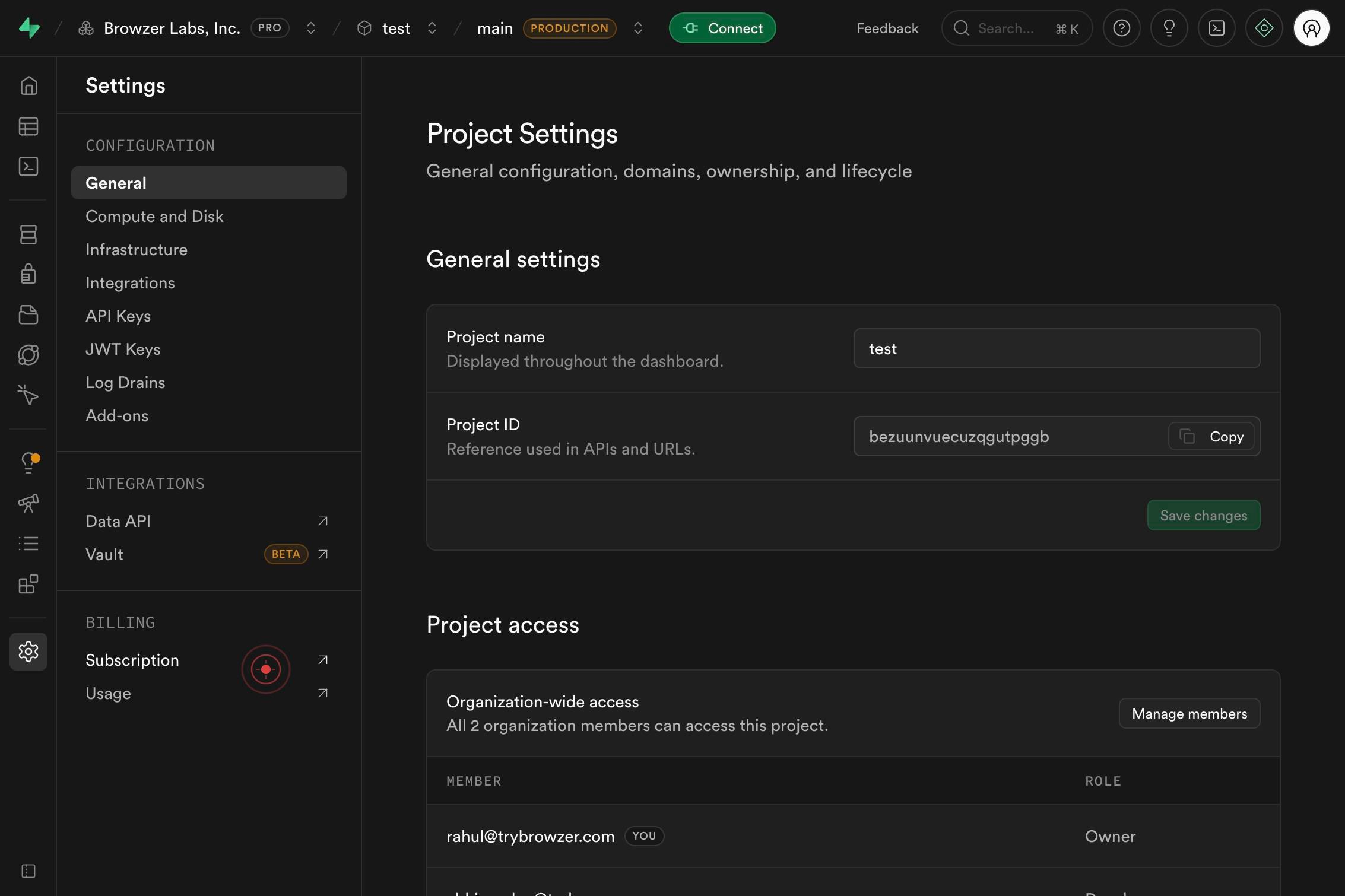
SubscriptionClick the 'Subscription' menu item in the navigation to access your organization's subscription and billing information.
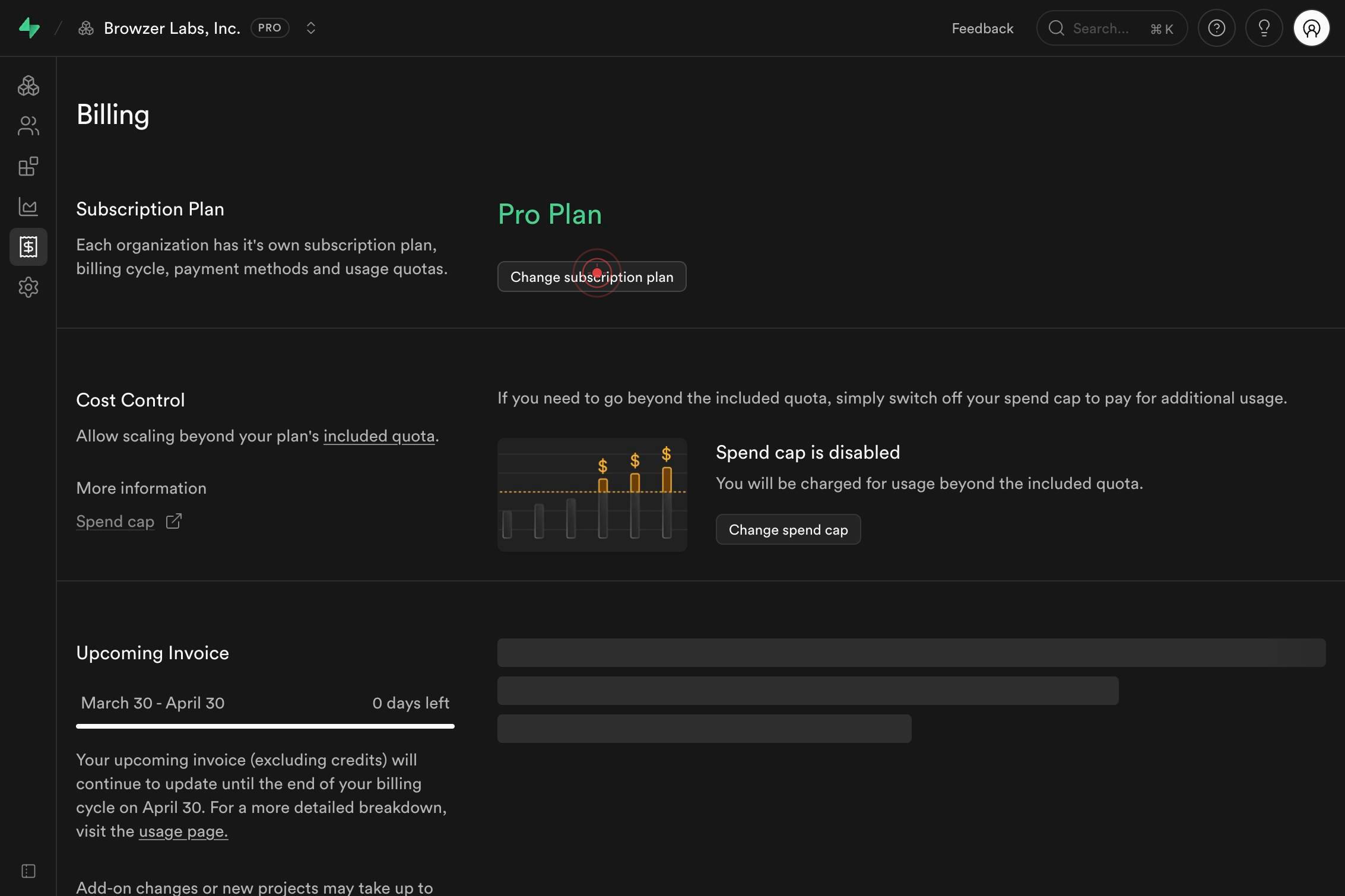
Change subscription planClick the 'Change subscription plan' button to open the subscription plan selection panel. This displays all available plans including Free, Pro, Business, and Team options.
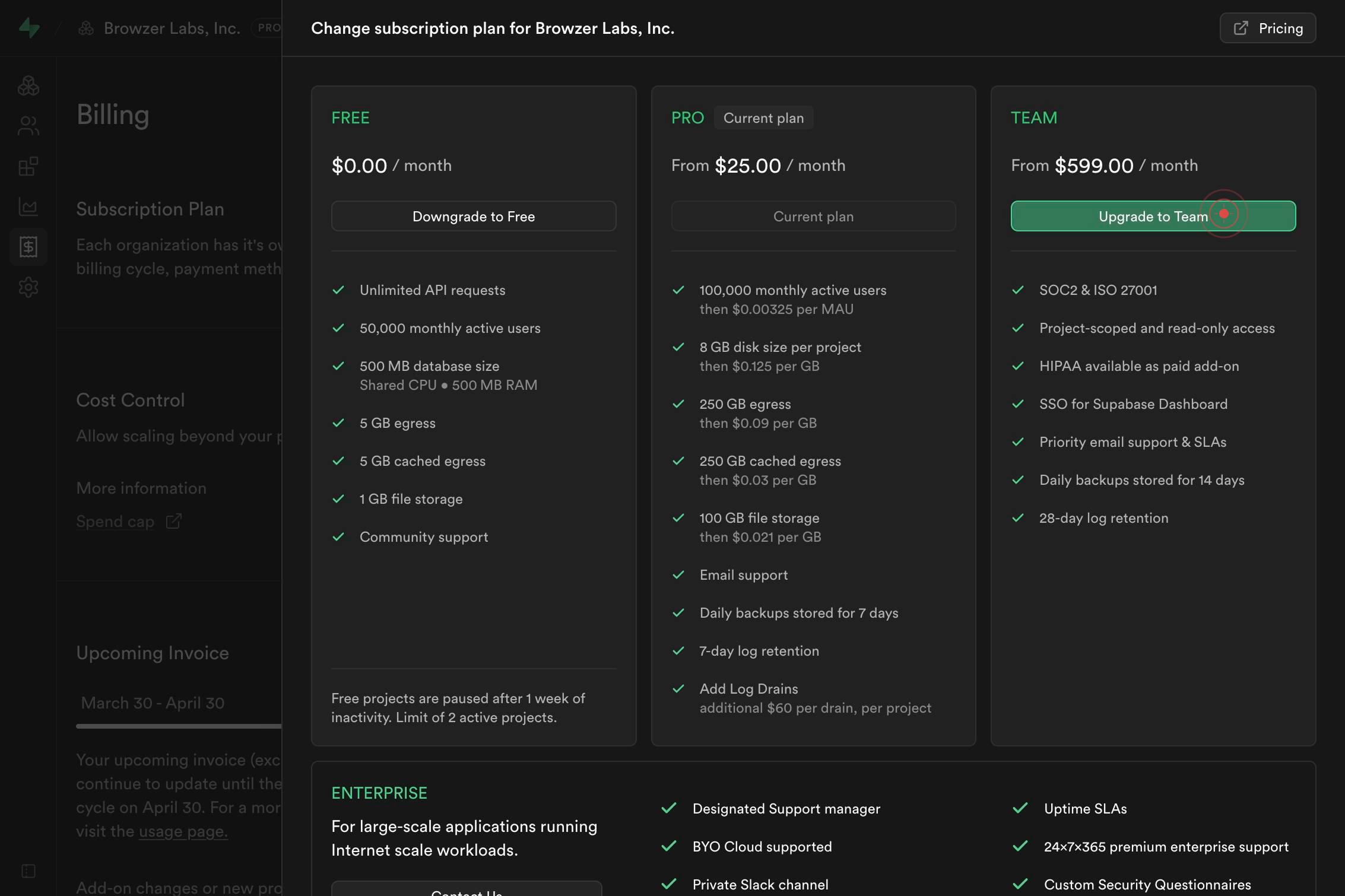
Upgrade to TeamClick the 'Upgrade to Team' button to confirm your plan upgrade. Supabase will process the payment using your registered payment method and activate your Team plan immediately.
Confirm it worked
- 1After clicking 'Upgrade to Team,' you see a confirmation message or success screen indicating the plan change
- 2Your organization's billing page (Subscription Plan section) now displays 'Team' as the active plan instead of your previous plan
- 3You receive a confirmation email at your organization's registered email address detailing the subscription change and new billing terms
- 4Your new Team plan features and higher resource limits are immediately available in your Supabase projects (visible in project settings)
Common issues
Keep reading
Upgrading downgrading
# Change the price of existing subscriptions Learn how to upgrade and downgrade subscriptions by changing the price. This guide focuses on using the Subscriptions API to manage customer subscription
docs.stripe.comHow to Set Up Membership Upgrade in WordPress for your Plans?
How to Set Up Membership Upgrade in WordPress for your Plans? # How can we help you? All Categories Account ManagementGetting StartedRegistration and Login FormForm FieldsMembershipGeneral SettingsE
docs.wpuserregistration.comUpgrade Your Subscription
Upgrade Your Subscription [.png)](https://www.viewlift.com/) [Skip t
docs.viewlift.com